
Testing
Simulate BTC and USDT payments without real funds using Blockonomics Test Mode.
Test Mode lets you fire real callbacks against your server without spending any crypto. Enable it per-store (or per payment button), trigger a simulated transaction, and verify your callback handler receives the correct status progression.
Do not send real BTC or USDT to test addresses — funds sent will be lost.
Enable Test Mode
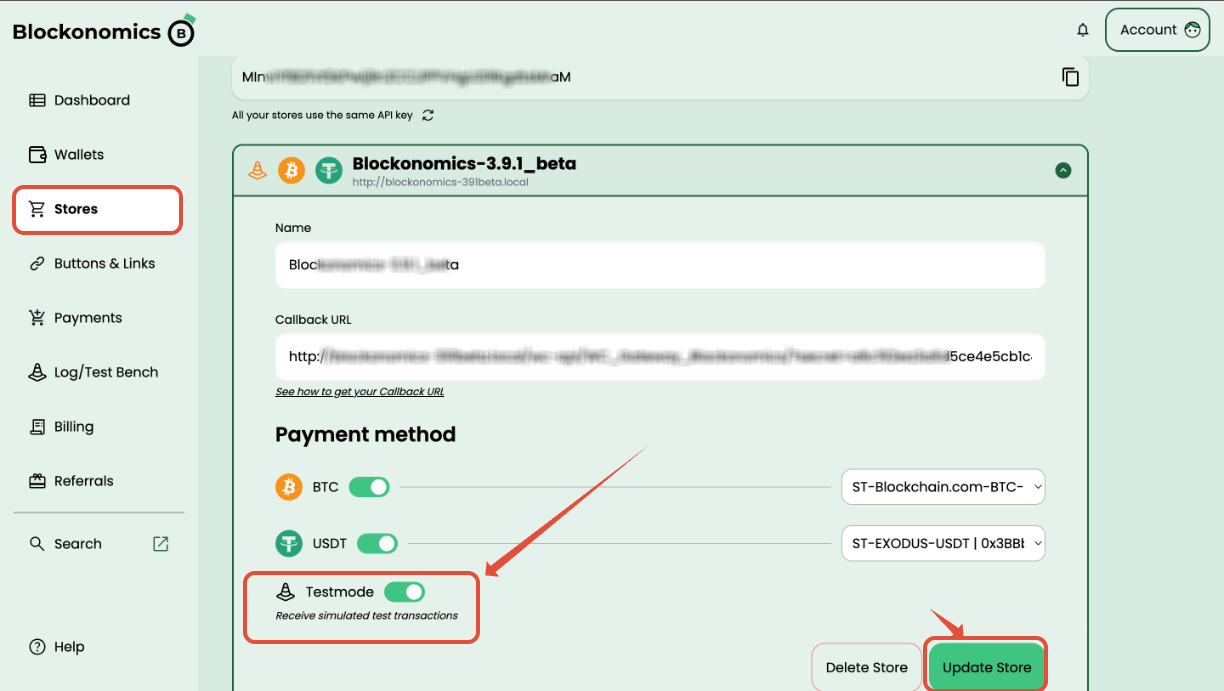
In your Blockonomics dashboard, go to Stores, open your store, and toggle Testmode on under Payment method. Click Update Store.
BTC: Simulate a Payment
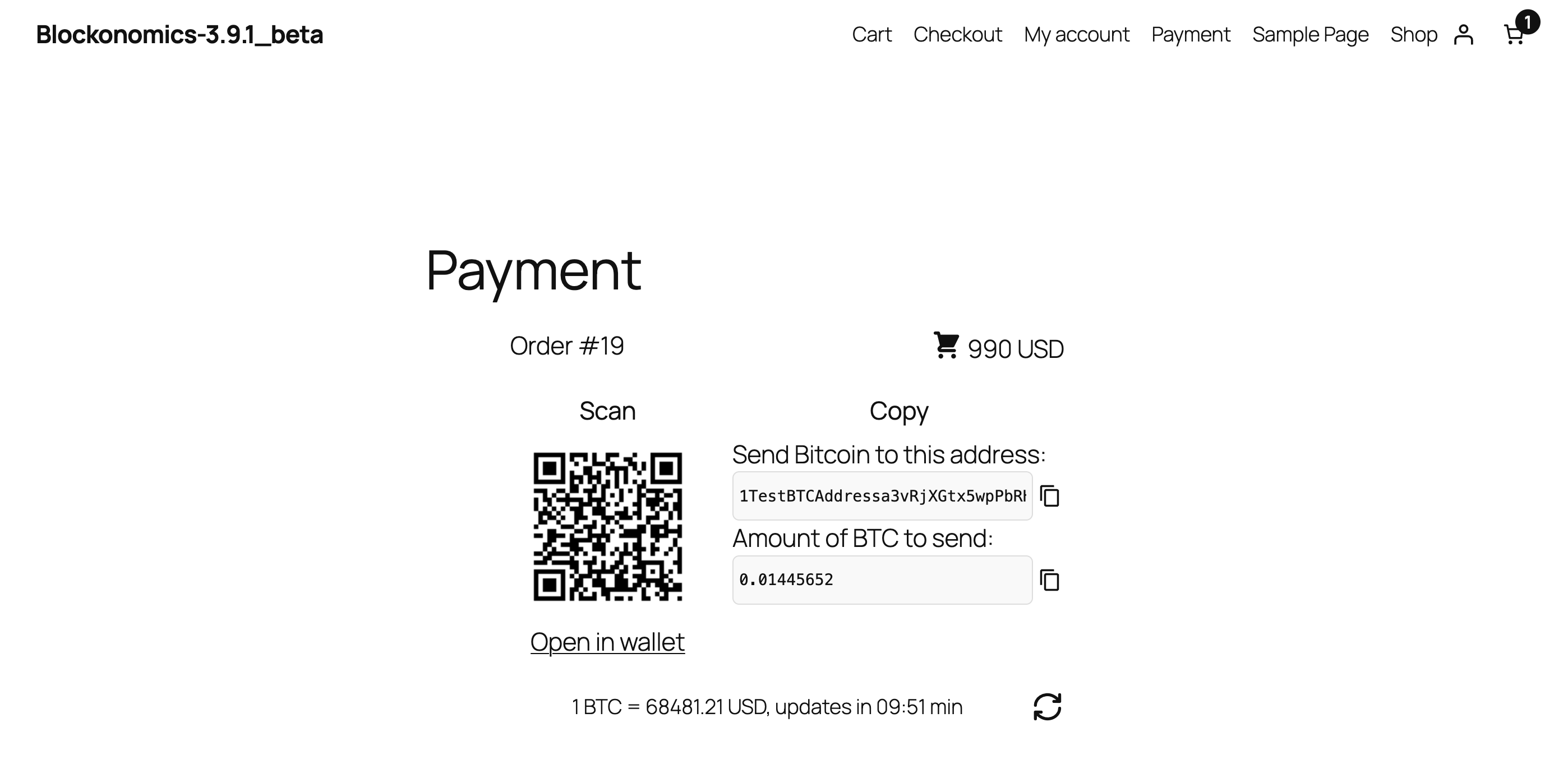
- Place a test order on your site — the checkout page shows a Test Bitcoin address and BTC amount.
- Go to Log/Test Bench in the dashboard. Under Test Bitcoin Wallet, confirm the Pay to address matches your checkout. Enter the exact BTC amount and click Send.
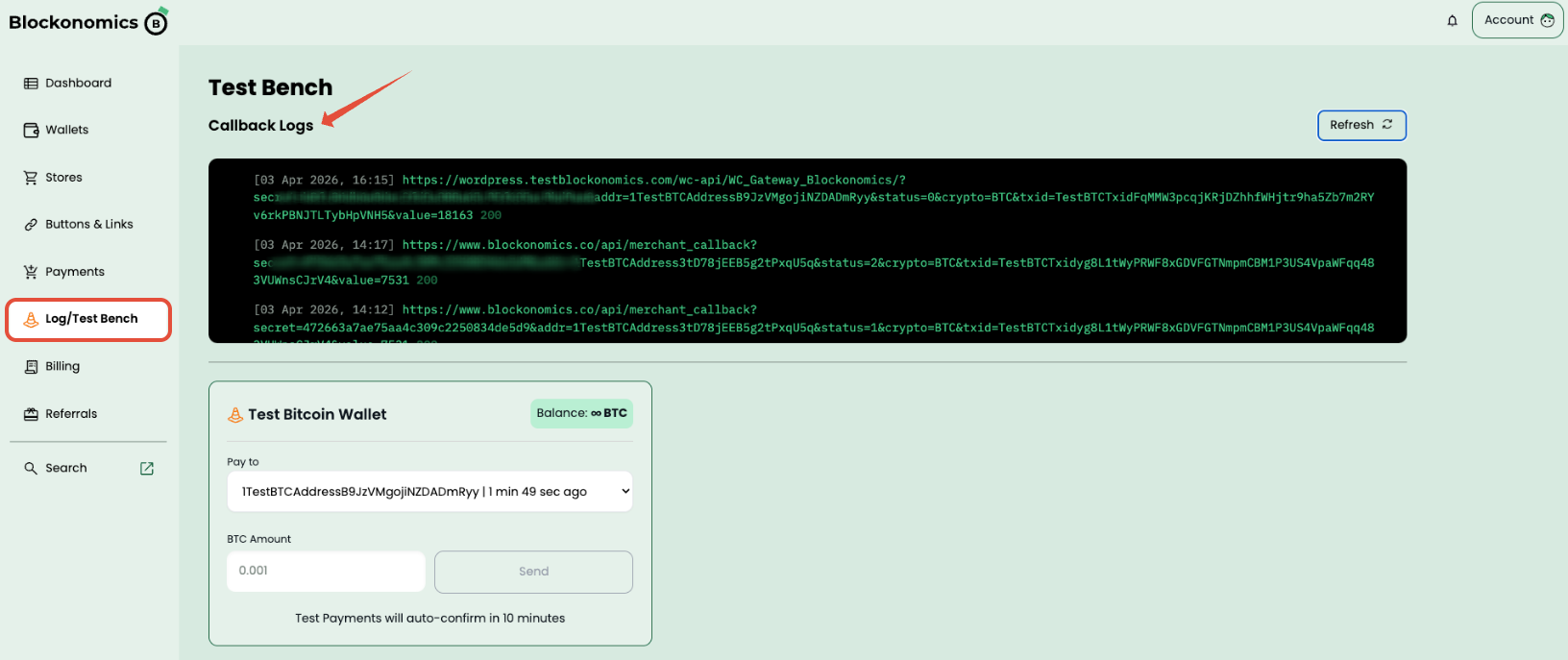
Callbacks fire automatically:
| Status | Meaning | Delay |
|---|---|---|
0 | Unconfirmed (mempool) | Instant |
1 | 1 confirmation | ~5 min |
2 | Fully confirmed | ~10 min |
USDT: Simulate a Payment
Select Pay with USDT at checkout. Click Connect Wallet — a Test Ethereum Wallet popup appears automatically (no real wallet needed). Click Connect, then Pay [amount] USDT, then Confirm in the wallet popup.
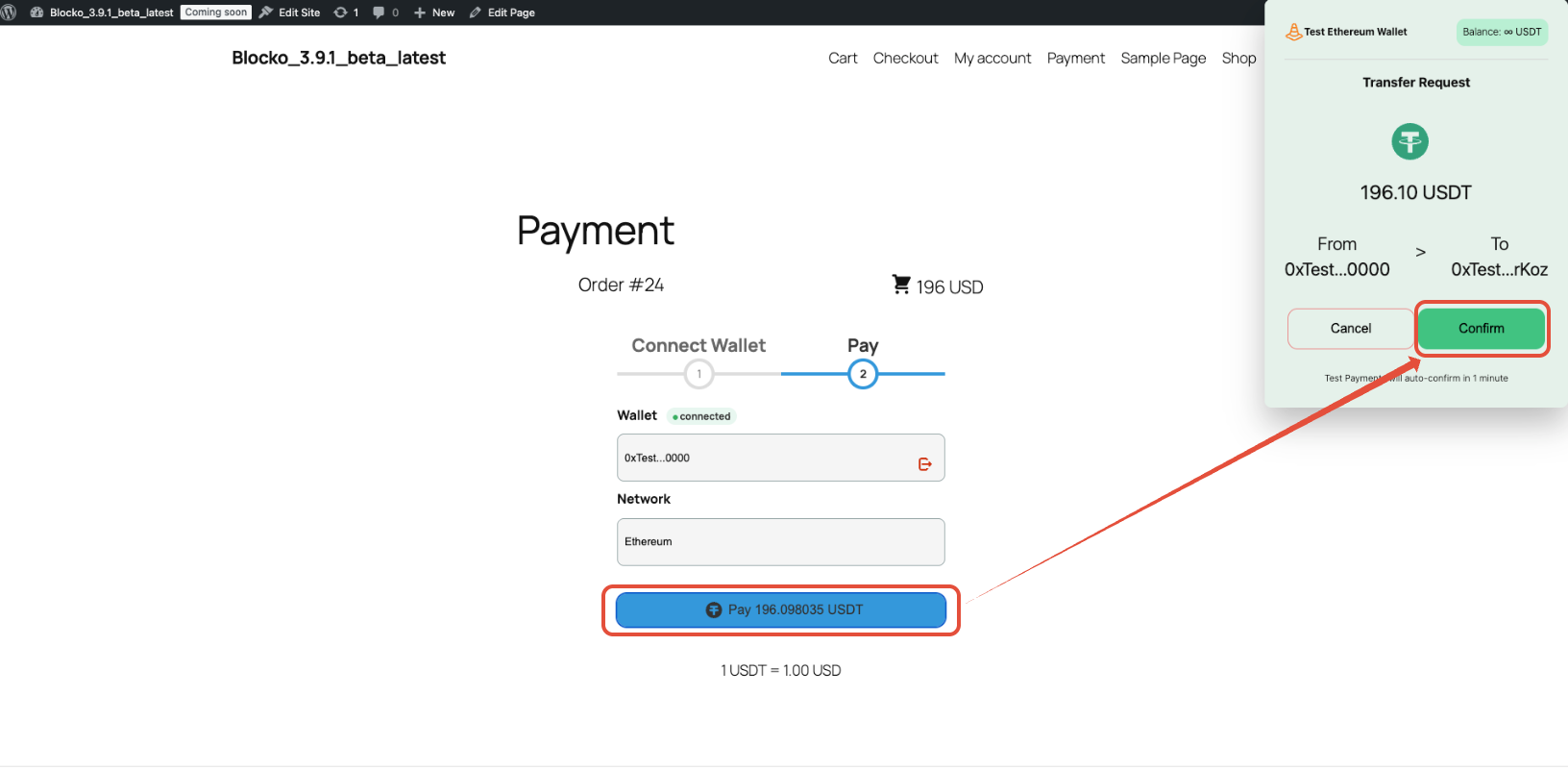
USDT callbacks fire within ~1 minute.
Callback Logs
Every callback attempt is logged at Log/Test Bench → Callback Logs. A 200 at the end of the log line means your server received it correctly.
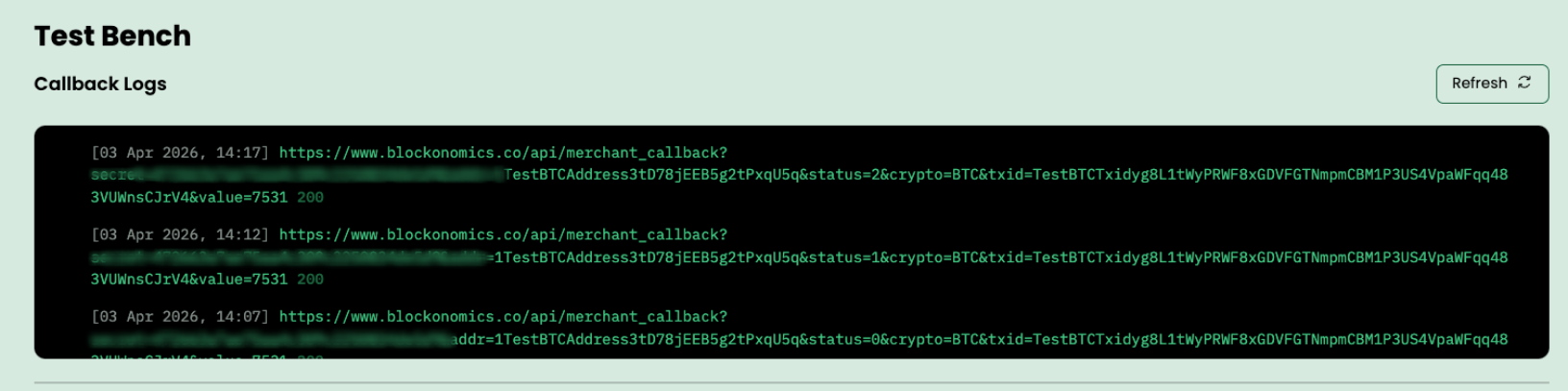
Each log line shows the full callback URL with all parameters (addr, crypto, status, value, txid) plus your server's response code. If you see anything other than 200, check the Callbacks guide for handler requirements.