
Testing
Simulate BTC and USDT payments without real funds using Blockonomics Test Mode.
Test Mode lets you fire real callbacks against your server without spending any crypto. Enable it on a store, simulate a payment the way your integration receives one, then check the callbacks. Test payments confirm in 300 sec for BTC and 30 sec for USDT.
Testing via UX
Enable Testmode
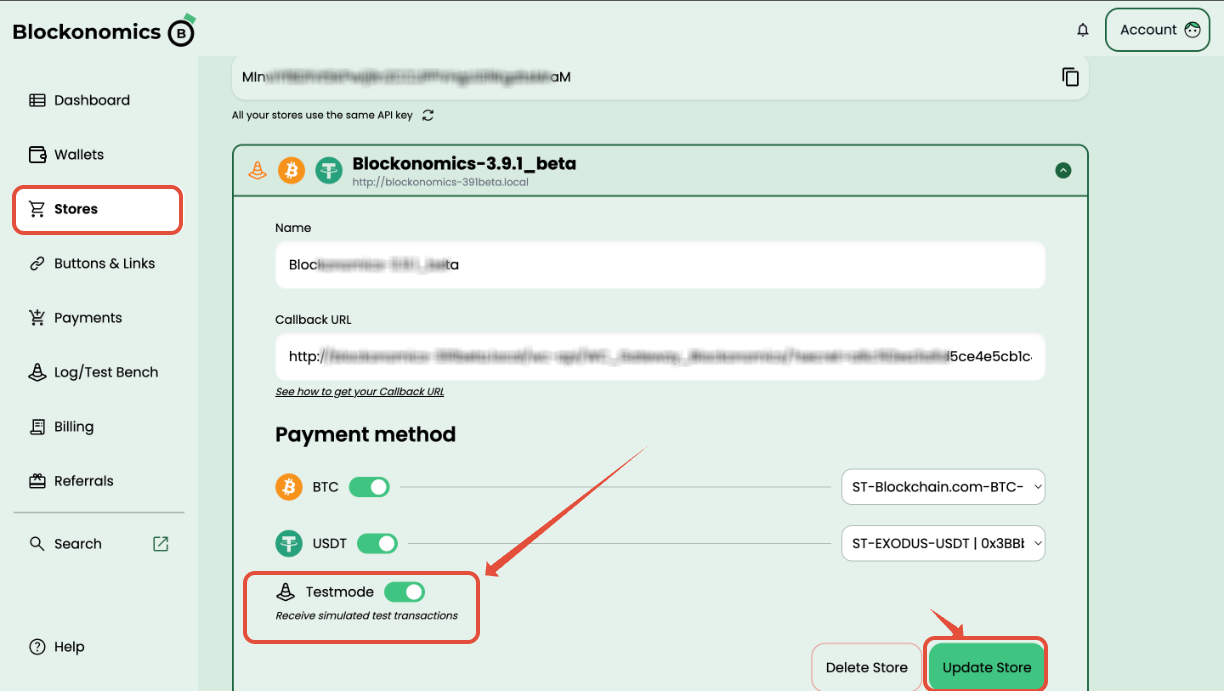
In your Blockonomics dashboard, go to Stores, open your store, and toggle Testmode on under Payment method. Click Update Store.
Checkout and Pay
BTC
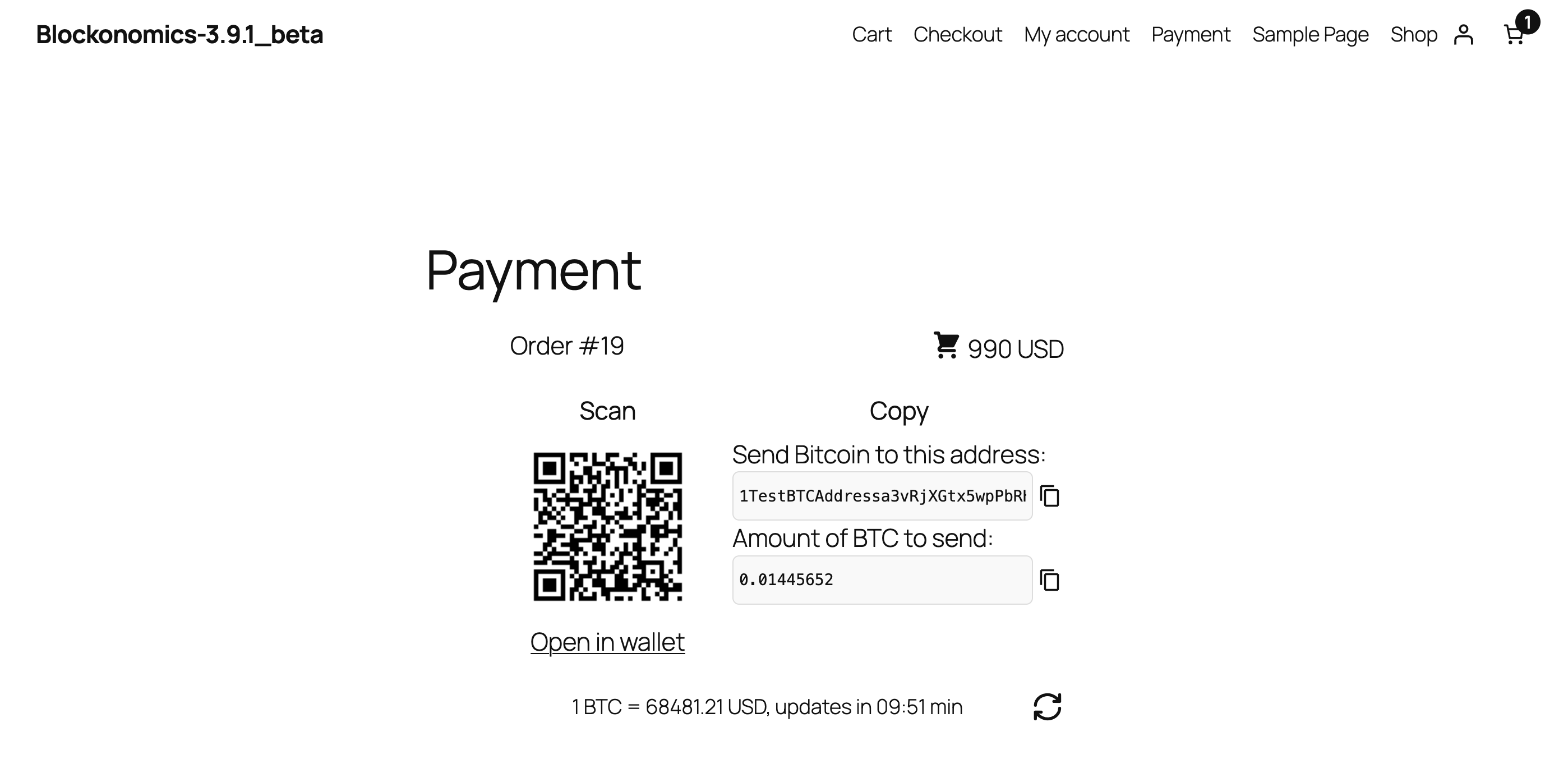
Place a test order on your site — the checkout page shows a Test Bitcoin address and BTC amount.
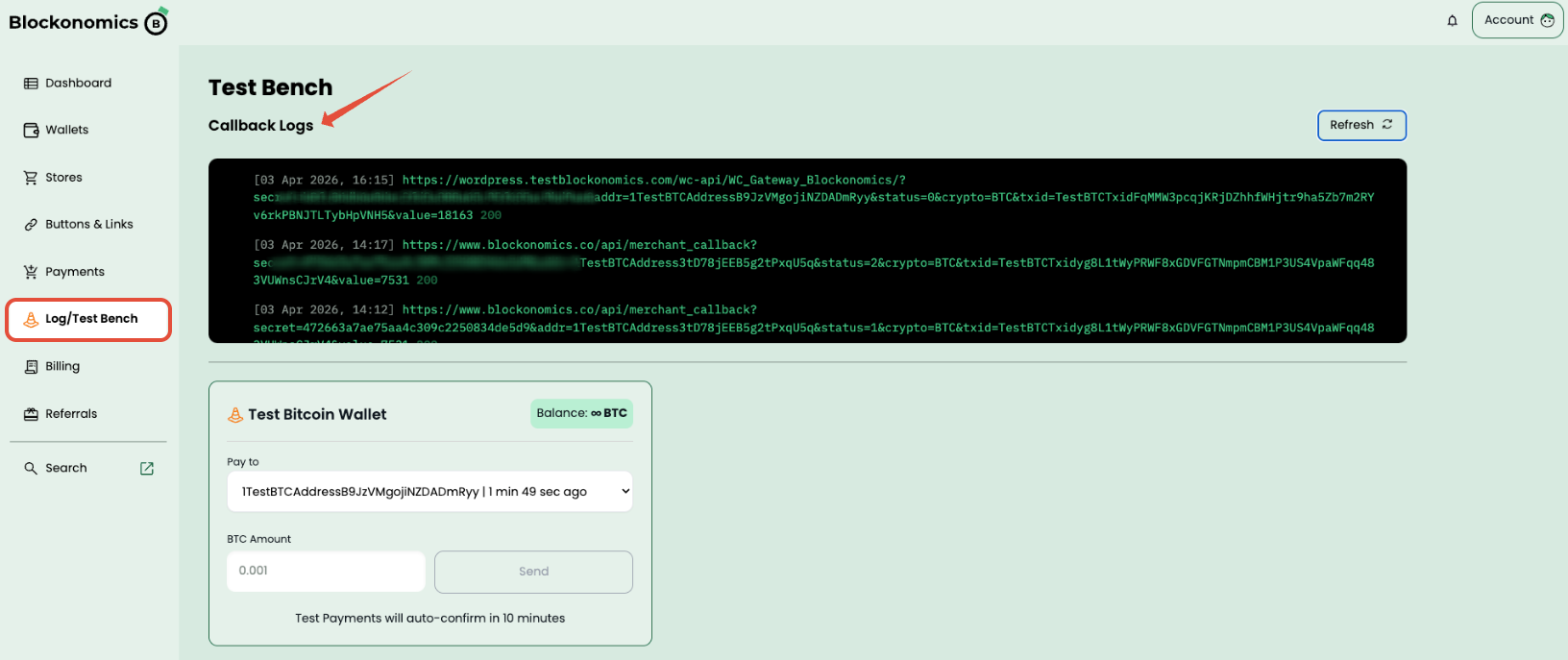
Go to Log/Test Bench in the dashboard. Under Test Bitcoin Wallet, confirm the Pay to address matches your checkout. Enter the exact BTC amount and click Send.
USDT
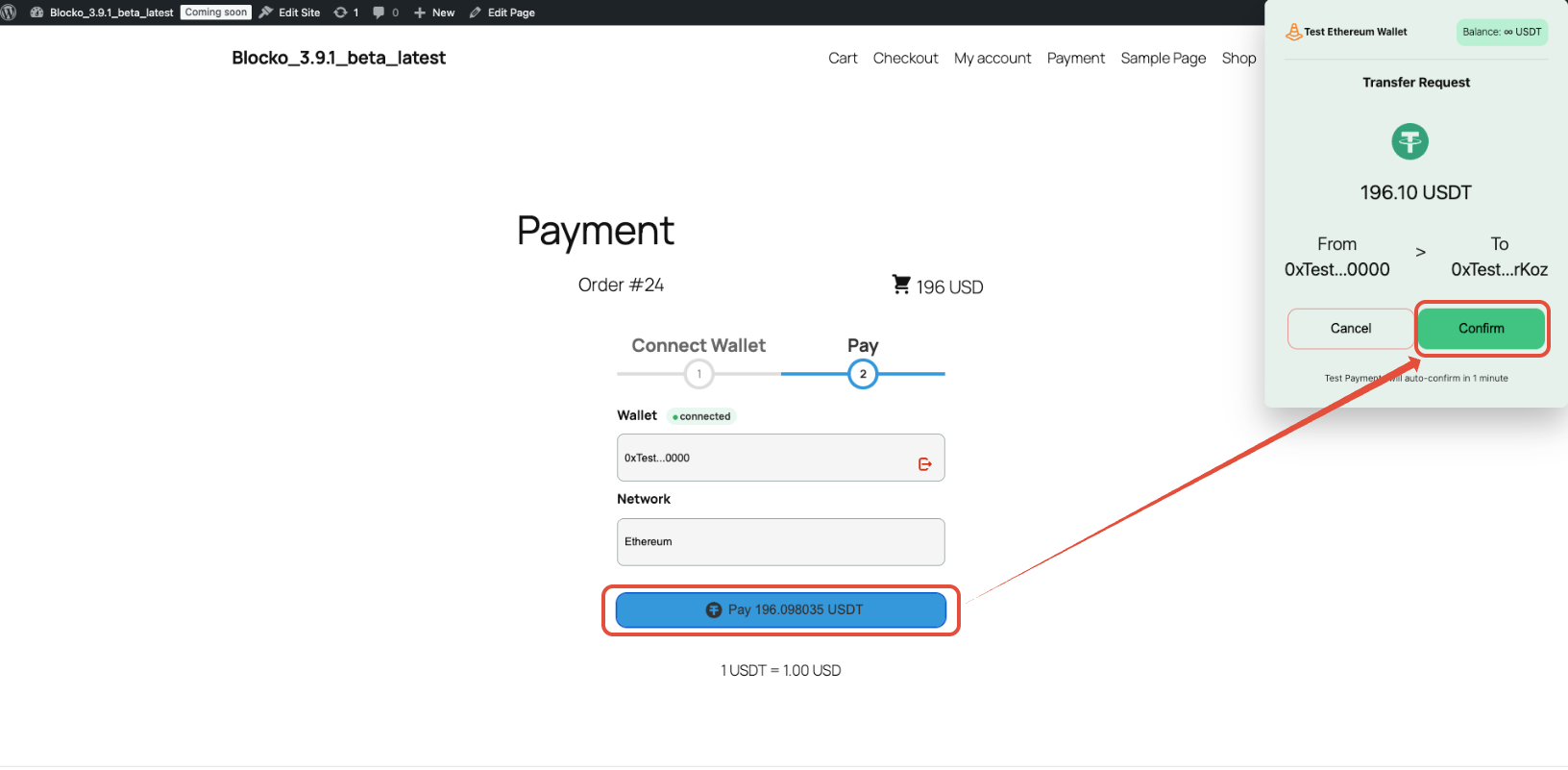
Select Pay with USDT at checkout. Click Connect Wallet — a Test Ethereum Wallet popup appears automatically (no real wallet needed). Click Connect, then Pay [amount] USDT, then Confirm in the wallet popup.
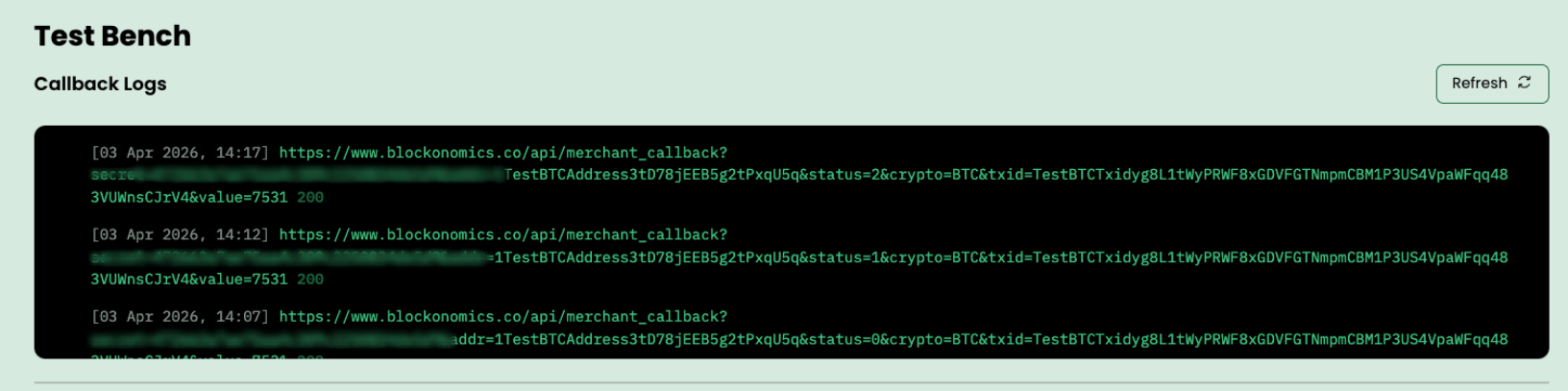
View Logs
If you see HTTP 200 status in logs everything looks good! Red color http status with error messages indicates Blockonomics callbacks are failing to reach your server. Refer to this article.
Testing via API
Enable Testmode
Checkout and Pay
-
Trigger a checkout on the store that generates crypto address / amount to pay
-
To pay to BTC test address call
POST /api/test_payment.storeis the integer ID from List all stores.
curl -X POST https://www.blockonomics.co/api/test_payment \
  -H "Authorization: Bearer YOUR_API_KEY" \
  -H "Content-Type: application/json" \
-d '{"store": 123, "addr": "1TestBTCAddressT44Xt84tqiKyJpNnCQH", "satoshi": 10000}'- To test USD payment create unique txid of the form
TestUSDTTxid_<base units>_<unique suffix>. 1 USDT is 1000000 base units, so TestUSDTTxid_5000000_order1234a simulates 5 USDT. Call the corresponding endpoint for submit txid
View Logs
Use GET /api/merchant_logs returns the callback logs, newest first. limit defaults to 100, and match_callback filters store by matching callback URL.
curl -G https://www.blockonomics.co/api/merchant_logs \
  -H "Authorization: Bearer YOUR_API_KEY" \
  -d limit=10 \
  -d match_callback=yoursite.com
A http status other than 200 indicates an error. SSL certificate on your website could be broken, or it may not reachable, or a firewall could be blocking the callbacks. Refer to this article.