
Web3 USDT Component
Embed a ready-made Web3 component that lets customers pay USDT from Chui Wallet or any browser wallet.
Overview
The Web3 USDT Component handles wallet connection, network validation, and ERC-20 transfer signing in a single embeddable element. Drop it on your USDT checkout page and it takes care of the browser wallet interaction.
Embed the Component
<!-- Include the component script -->
<script src="https://blockonomics.co/js/web3-payment.js"></script>

<!-- Place the component in your HTML -->
<web3-payment
  id="web3_payment"
  order_amount="10"
  receive_address="YOUR_USDT_RECEIVE_ADDRESS"
></web3-payment>
Attributes
| Attribute | Description |
|---|---|
order_amount | Amount of USDT the customer must pay |
receive_address | Your USDT (ERC-20) receiving address |
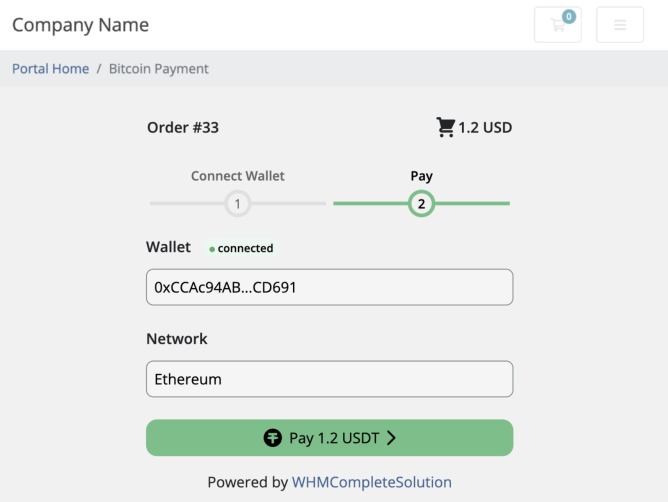
Screenshot of web3 USDT component on checkout page
Handle Payment Submission
When the customer approves the transaction in their wallet, the component fires onTxnSubmitted with the txhash and crypto:
const web3Payment = document.getElementById('web3_payment');

web3Payment.onTxnSubmitted = function(result) {
  const { crypto, txhash } = result;

  // Send to your backend for monitoring
  fetch('/api/payments/confirm', {
    method: 'POST',
    headers: { 'Content-Type': 'application/json' },
    body: JSON.stringify({ txhash, crypto })
  });
};
Register for Monitoring
Your backend must submit the txhash to Blockonomics so it can track confirmation. See Monitor USDT Transaction for the API details.
Handle Callbacks
Once registered, Blockonomics sends a callback to your server when the transaction confirms on-chain. Mark the order as paid at that point — not when onTxnSubmitted fires.